A deadline tracker for your Mac menu bar
Too many deadlines in your head?
Put them in Deadline Bar. See what’s urgent, choose your next task, and start a Focus session with breaks.

Free for 5 open deadlines, including scheduled ones. No account needed. Pro: Yearly with a 14-day free trial, or Buy Once.
Keeping track can feel like another job.
- The proposal is due tomorrow.
- The revision just moved to today.
- You keep checking dates instead of starting.
Write each deadline down once. Deadline Bar orders your list by urgency and keeps the next one in your menu bar. Pick one. Start Focus. Mark it done when you’re finished.
From a deadline to your next action.
-
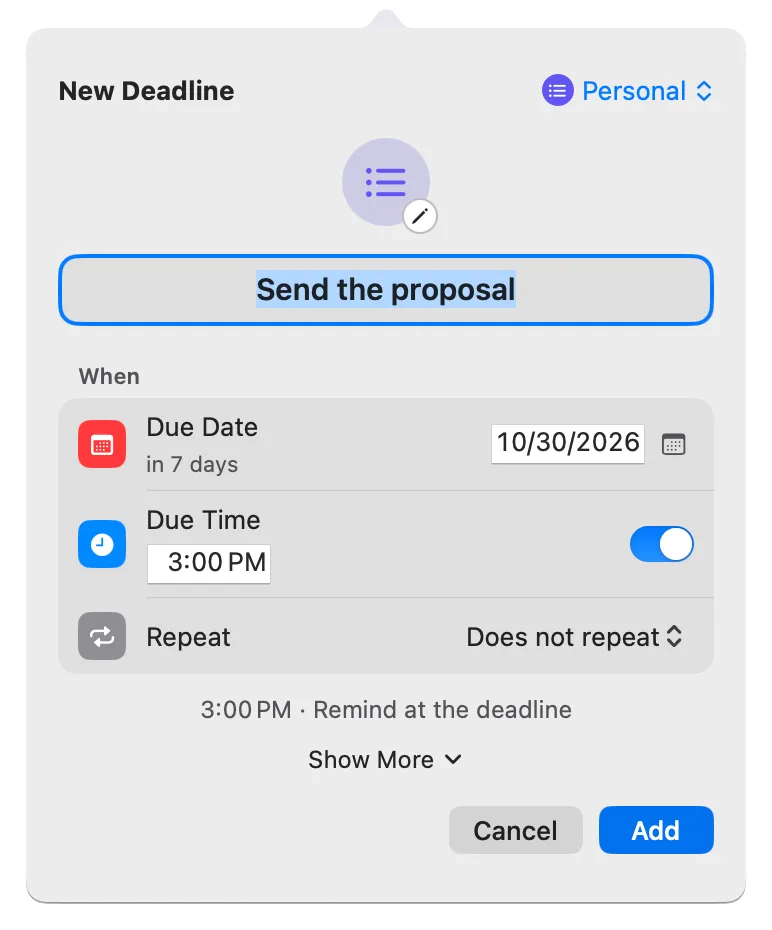
Write it down
Press Control-Option-D ⌃⌥D in any app, name your deadline, and choose its date. It’s in your list right away.
-
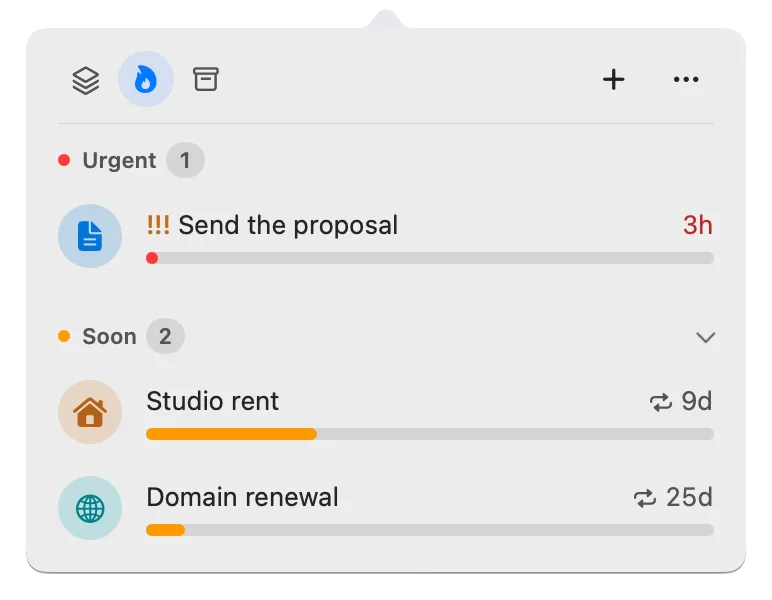
See what’s next
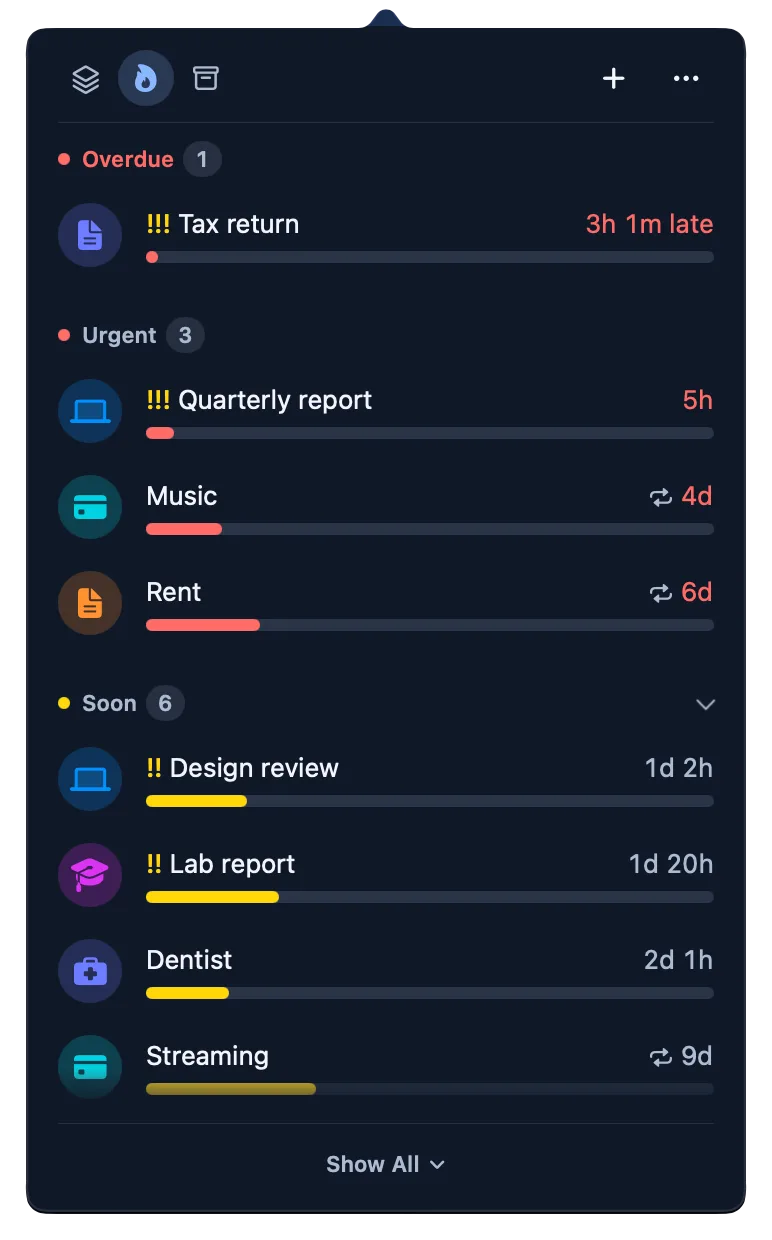
The menu bar counts down the most urgent deadline. In the list, the most urgent come first, and one you mark !!! leads its section.
-
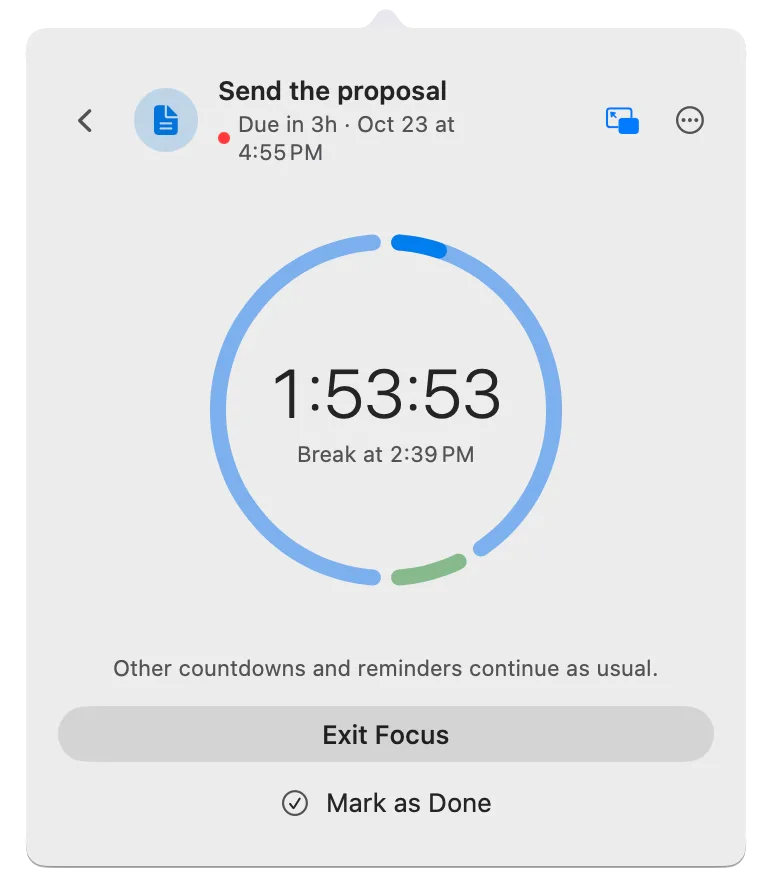
Focus
Start a timed session on one deadline, with a break when it’s time to rest.
-
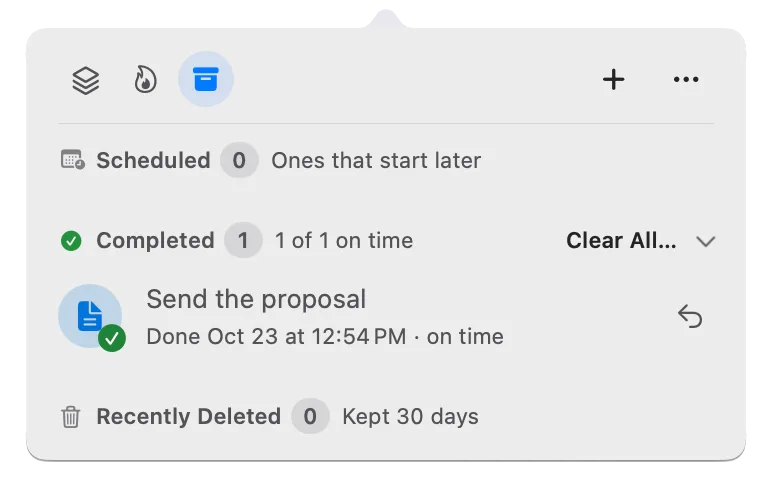
Done
Check it off. It moves to Completed and the menu bar moves on.
See the time left at a glance.
Reminders and Calendar alert you once, then wait inside an app. Deadline Bar keeps the time left in your menu bar and colors each deadline as it runs out, so the one that needs you is always in view. Time left doesn’t measure effort, so you may need to start a big job while it’s still green.
How to read the colors →Keep bills and renewals beside your work.
Add rent, a renewal, or a birthday with its date. Set it to repeat every month or year and remind you before it’s due. Repeats and reminders are both included in Free.
Track bills and renewals on Mac →Give one deadline your attention.
Start a Focus session on the deadline you choose: 25, 50 or 60 minutes, or until it’s due, with a 10-minute break every 50 minutes. Your other countdowns keep running. With Pro, choose any length and rhythm.
How to timebox one task →Other countdowns and reminders continue as usual.
Exit Focus Mark as DoneLook at something 20 feet (6 m) away for 20 seconds, and blink slowly.
Back to WorkReminders and Calendar, together. Pro
See dated reminders and events from your chosen calendars beside your deadlines. Mark a reminder Done here and it’s completed in Reminders too.
Set up Reminders and Calendar →Make it yours.
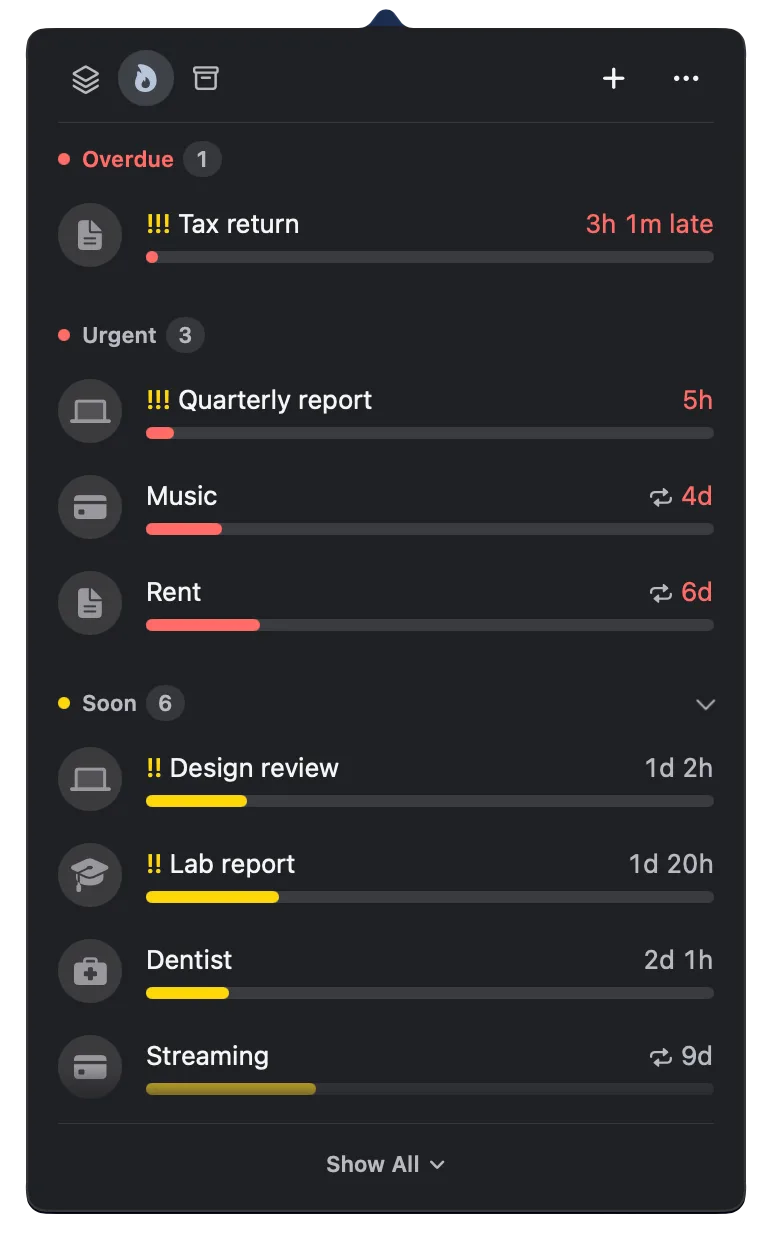
Choose from six panel themes, three with Pro.
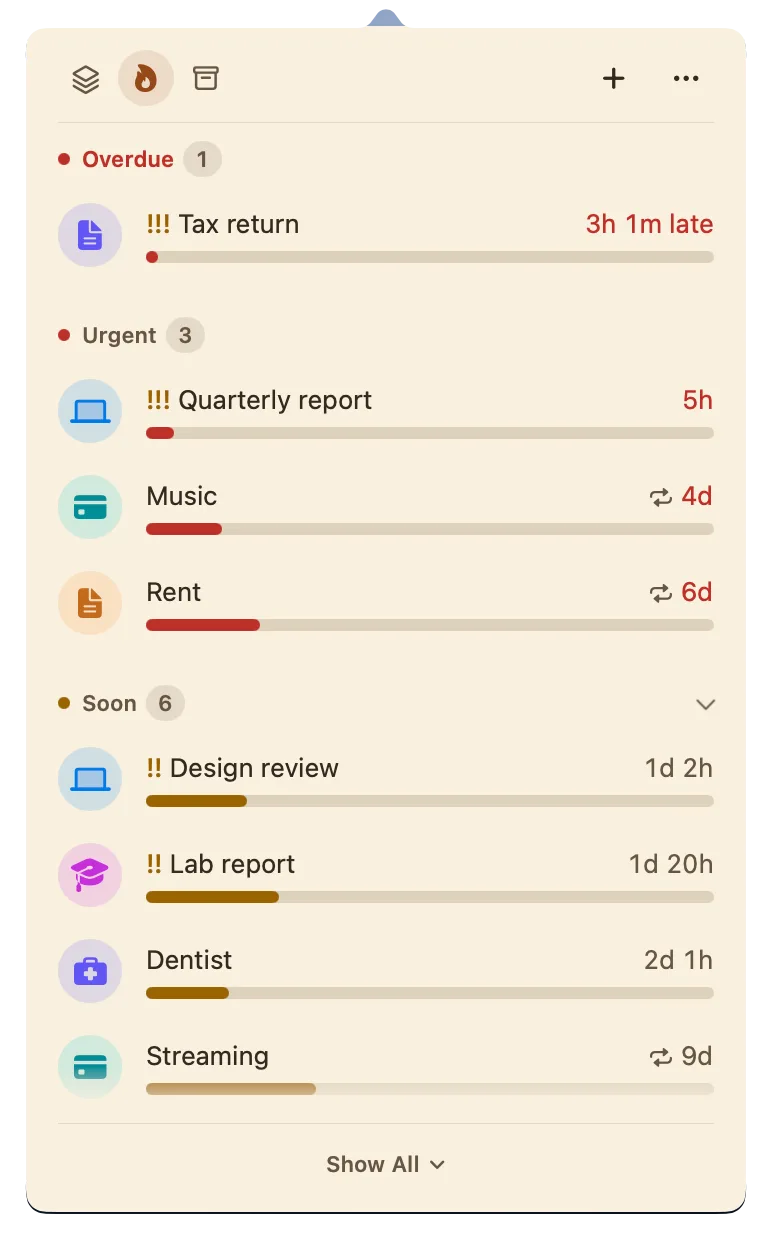
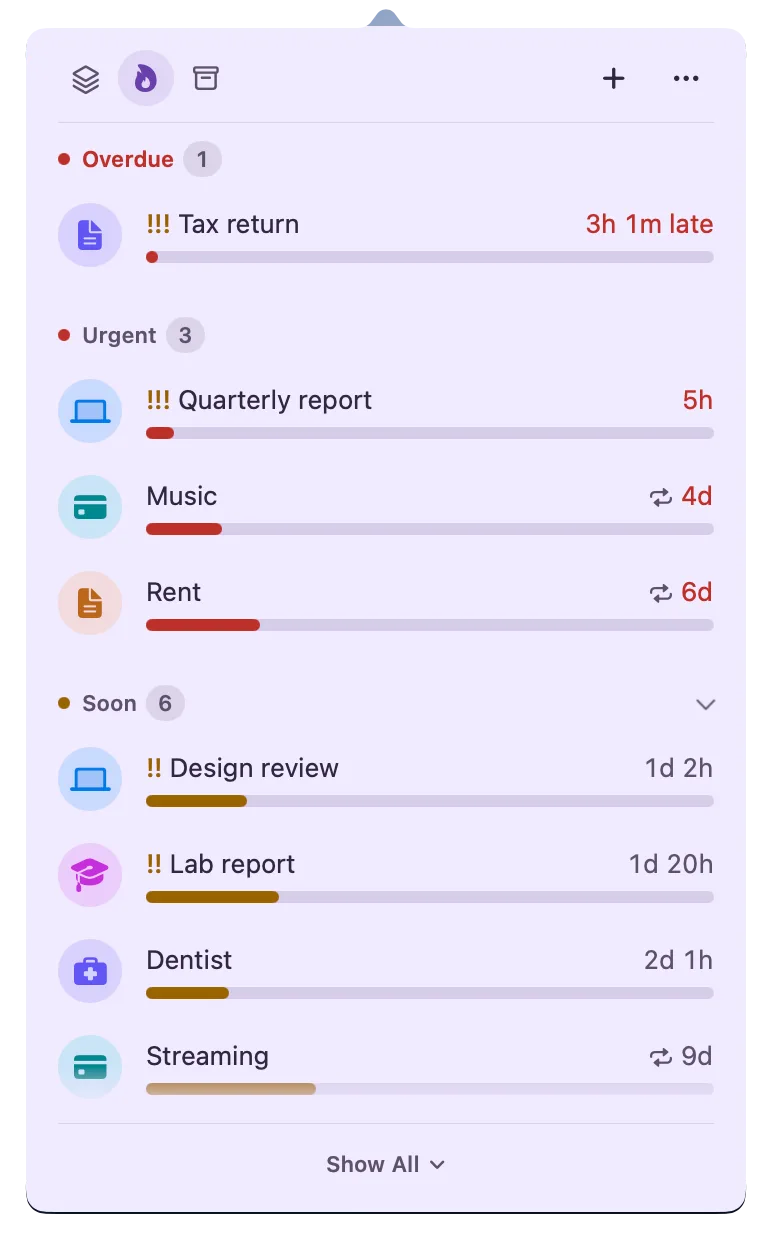
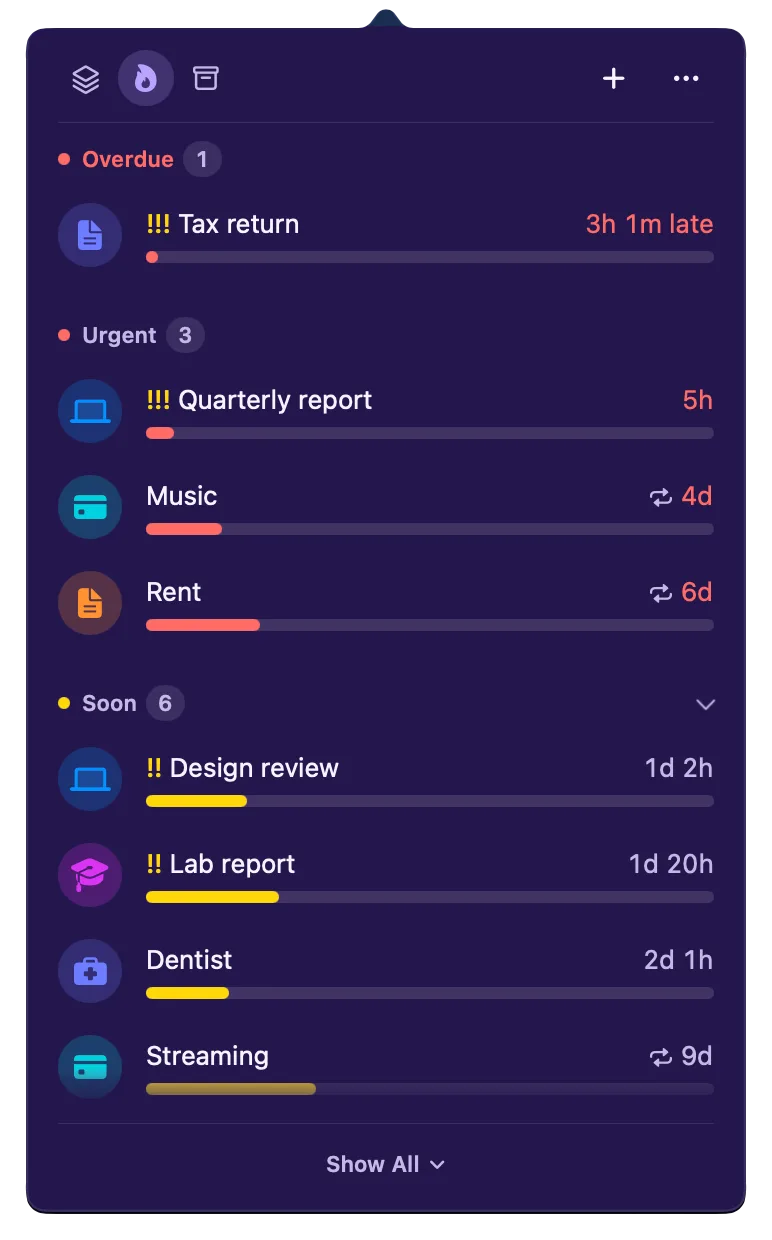
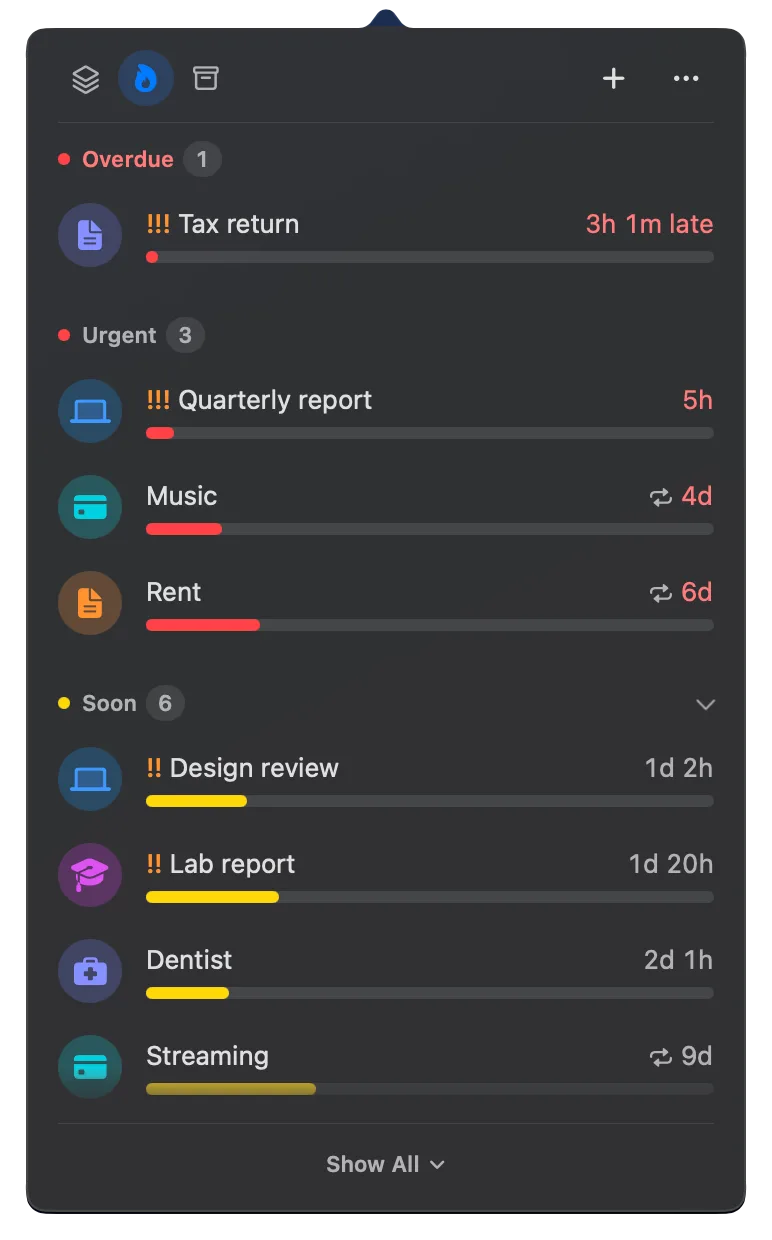
Your deadlines stay yours.
-
Stored on your Mac
Your saved deadlines stay local. No account to create. No tracking.
-
Take your deadlines with you
Export your saved deadlines to a file and import them on another Mac.
-
Room to change your mind
Undo changes and recover recently deleted deadlines.
Start free.
Free keeps 5 open deadlines with everything you need to finish them. Pro is for when your list grows, and for making it yours.
- Free · No account · No time limit
- Pro · Yearly · 14-day free trial · Buy Once · one-time purchase
- Not in the EU’s App Stores yet; coming once Apple’s trader verification completes.
Download free now. Buy once on November 5 at half price.
Founding Supporter: start Pro by November 18, on either plan, engraved on your Pro card.
Both options include the same Pro features. Restore Pro on another Mac with your Apple Account.
Pro is an in-app purchase. See current prices in your currency on the Mac App Store.
A few practical details.
More answers in Support →Can I keep using Deadline Bar for free?
Yes. Free includes 5 active deadlines, Quick Add, built-in groups, reminders, and repeats. There’s no time limit. Read the guide →
How do I try Pro?
Yearly starts with a 14-day free trial for eligible Apple Accounts, then renews yearly unless you cancel. Start it in the app; Apple’s purchase sheet shows the price and terms first. To cancel, choose Manage Subscription in Settings → Pro, at least 24 hours before the trial ends.
Can I buy it once instead of subscribing?
Yes. Buy Once is a single purchase with the same Pro features as Yearly.
Can I try Pro now and still get the launch price?
Yes. During your trial, open Settings → Pro and choose Buy Once at the launch price. Buying once doesn’t end the trial by itself: cancel it with Manage Subscription so the yearly charge never comes.
How do I become a Founding Supporter?
Start Pro by November 18, on either plan (a Yearly trial counts), and your Pro card is engraved Founding Supporter for good.
What happens if my trial or subscription ends?
Your saved deadlines stay. Choose up to 5 active deadlines to use on Free; the others remain saved and locked.
Can I show events from Google Calendar or Microsoft 365?
Yes, with Pro. Add your Google or Microsoft 365 account in System Settings → Internet Accounts, and its calendars join your Mac’s Calendar, Teams meetings included. In Deadline Bar’s Settings, choose which calendars to show: their events appear beside your deadlines. Deadline Bar reads them on your Mac. Read the guide →
Does it sync between Macs or work on iPhone?
Deadline Bar is available only on Mac. Deadlines stay on each Mac and don’t sync between Macs. To move them, choose Export on one Mac and Import on the other. Use Restore Purchases to restore Pro on the other Mac. Read the guide →
Why can’t I find Deadline Bar in my App Store?
Deadline Bar is on the Mac App Store only, and not yet in the EU’s stores: it arrives there once Apple’s trader verification completes.
How is it different from Reminders or Calendar?
Reminders and Calendar alert you at a set time, then the item waits in an app until you open it. Deadline Bar keeps the time left in your menu bar, colored by how close each deadline is, and puts the most urgent first, so you see what needs you before it’s late. With Pro, your reminders and events can join the same list. Read the guide →
Why aren’t prices shown here?
Prices differ by country and region. The Mac App Store shows them in your currency, and the app confirms the price before you buy.
Do I need an account?
No Deadline Bar account is needed, and the app sends nothing anywhere. Purchases go through your Apple Account.
What if something goes wrong?
Write to [email protected], whether you use Free or Pro. The person who built the app reads every message and replies.
Start with the deadline on your mind.
Add it, see the time left, and choose a Focus session. Free includes reminders, repeats, start dates, and Focus with breaks.